01
Improve Usability
Provide a simple, clear interface that reconciles the constraints of EDF and other industrial clients.
Target
SUS score > 80


Redesigning document tracking for more intuitive, efficient management
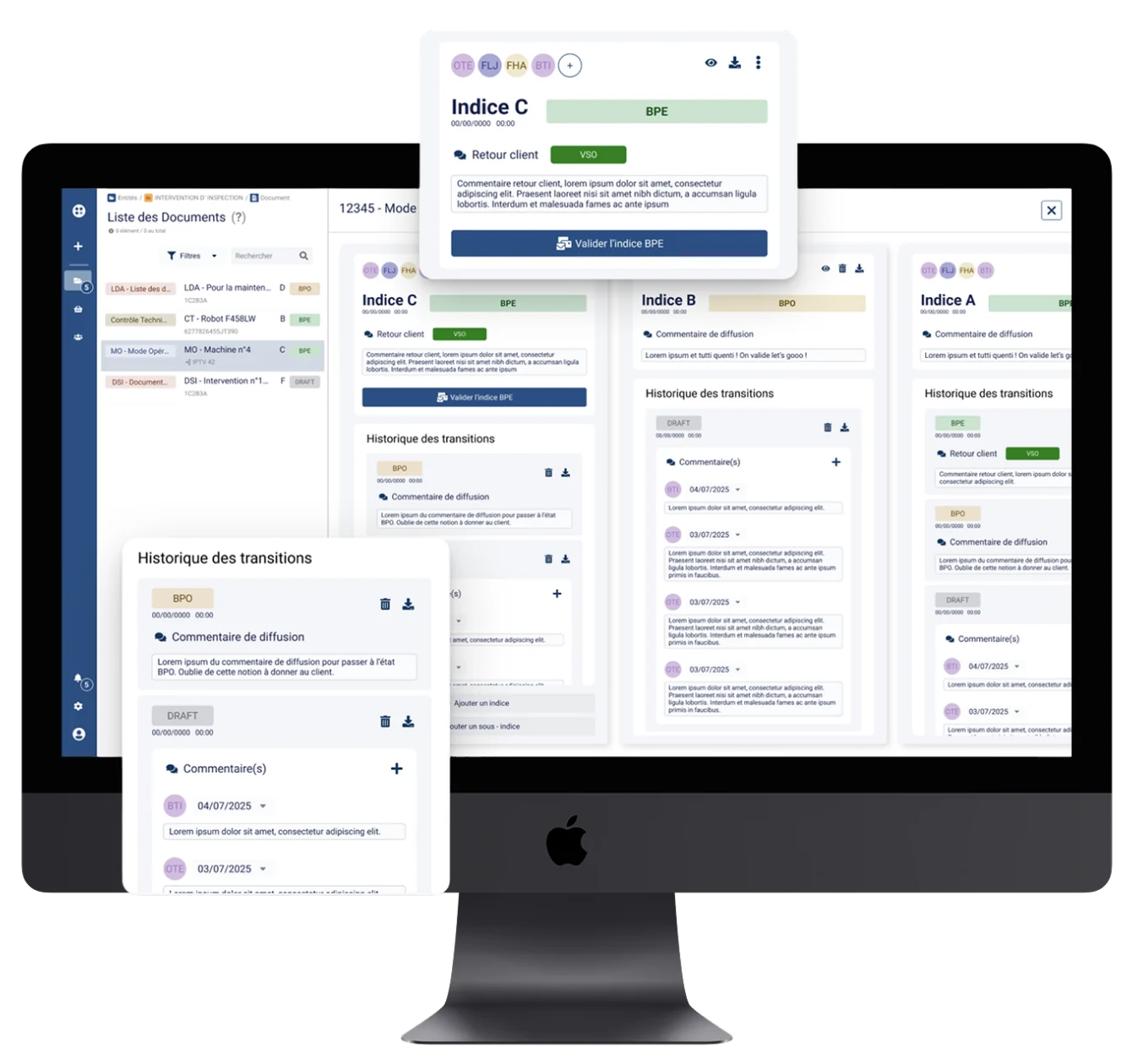
01 / THE PROBLEM
Clients don’t understand why the platform is so rigid about “version” versus “revision”. “EDF talks about versions; everyone else talks about revisions.” Today, cancelling the latest versions is poorly handled.
On top of that, the management modal is hard to reach, many actions are hidden or don’t match the user’s permissions, and adding contributors is anything but intuitive.
6 Critical pain points
Identified during our audits, heavily affecting the operational productivity of project teams on site.
02 / GOALS & KPIs
01
Provide a simple, clear interface that reconciles the constraints of EDF and other industrial clients.
Target
SUS score > 80
02
Remove hidden action menus so everyday operations are instantly accessible.
Target
100% of actions visible
03
Make it easier to assign and invite collaborators to co-write documents.
Target
Up to 5 collaborators in one click
03 / RESEARCH & DISCOVERY
To understand what was blocking end users, we combined client data analysis, wording workshops and card-sorting sessions.

Technical alignment and identifying the limits of the current product

Clarifying terminology (revision vs version) and hierarchy
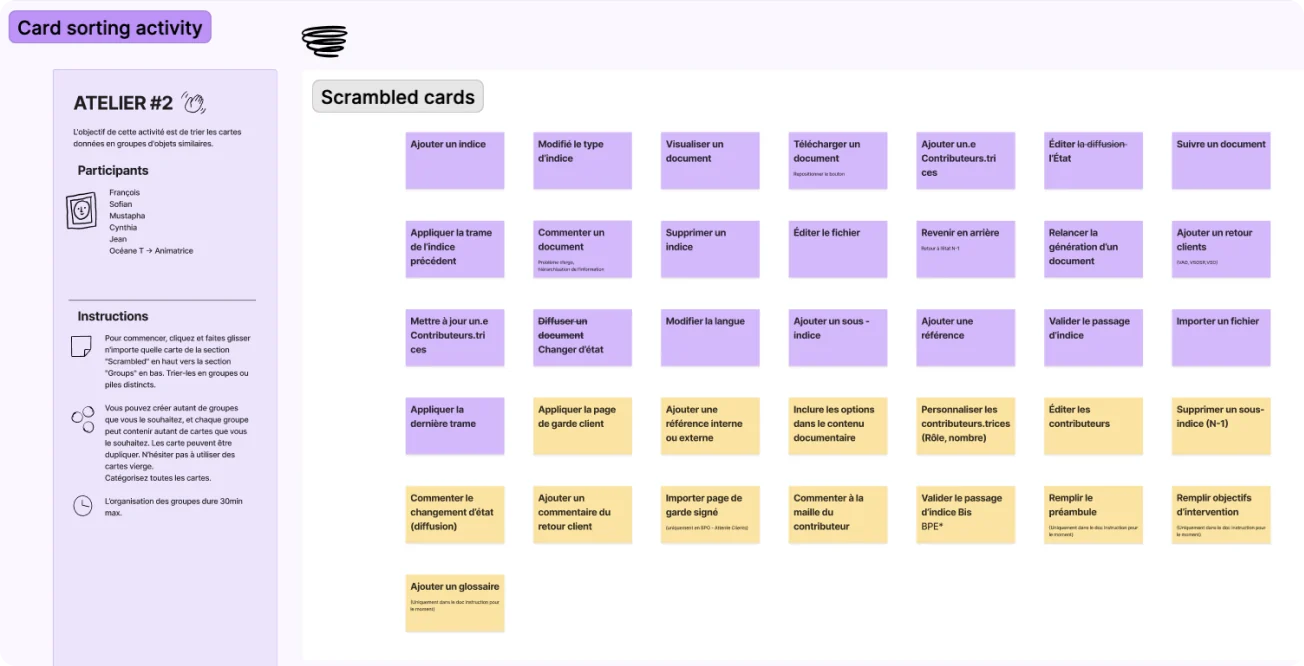
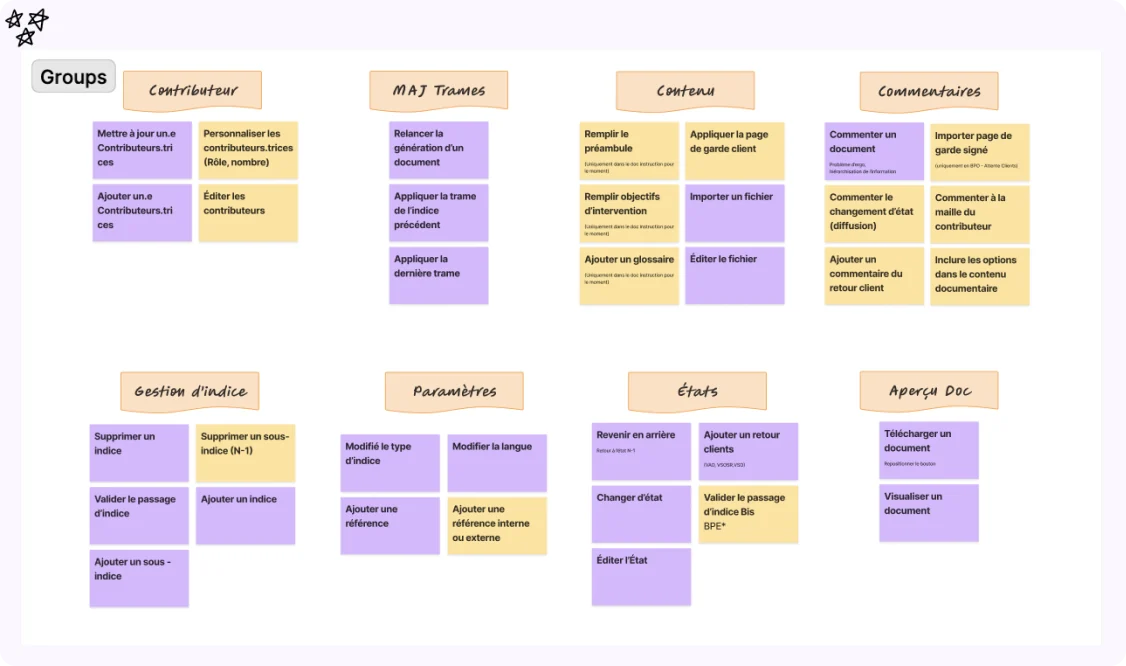

EDF and non-EDF clients use different terms (version vs revision), leading to serious misinterpretations.

Critical features such as duplicating, cancelling or publishing are buried in hard-to-reach sub-menus.

The actions shown on screen don’t always match the user’s role on site, frustrating approvers.
04 / TARGET PERSONAS

Field Operations Manager at Framatome
Manages hundreds of technical documents • Highly organised
“I need to make sure every version strictly follows EDF’s nuclear naming conventions, with no risk of a revision error.”
Goals
Pain points

Technical Writer at CNR
Needs speed • Works on several projects at once
“I need to send our documents to field teams quickly, without hunting for the action across three sub-menus.”
Goals
Pain points
05 / SECURE USER FLOW
Step 1
Creation
Generating a new revision
Step 2
Collaboration
Quickly adding contributors
Step 3
Review
Assigning role permissions
Step 4
Publishing
Sending with a direct comment
06 / PROTOTYPING & WIREFRAMES
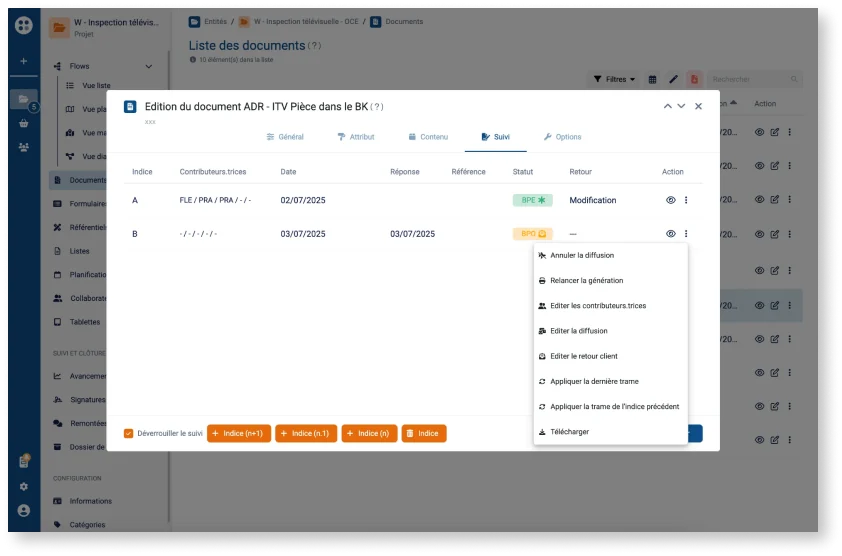
Existing interface
Complex, hidden actions. A cramped modal and unclear buttons, causing frustration.
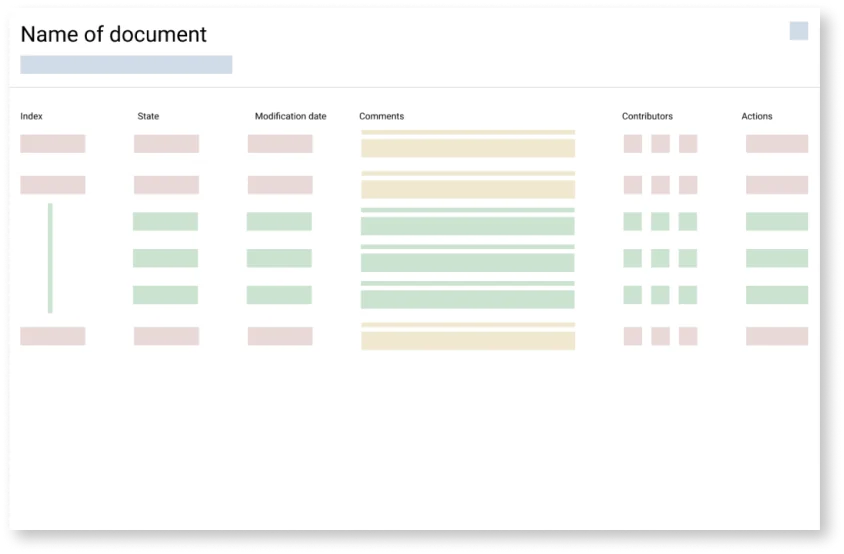
v1 – List redesign
Closer to EDF’s naming conventions. Better contrast, but the structure was still too rigid.
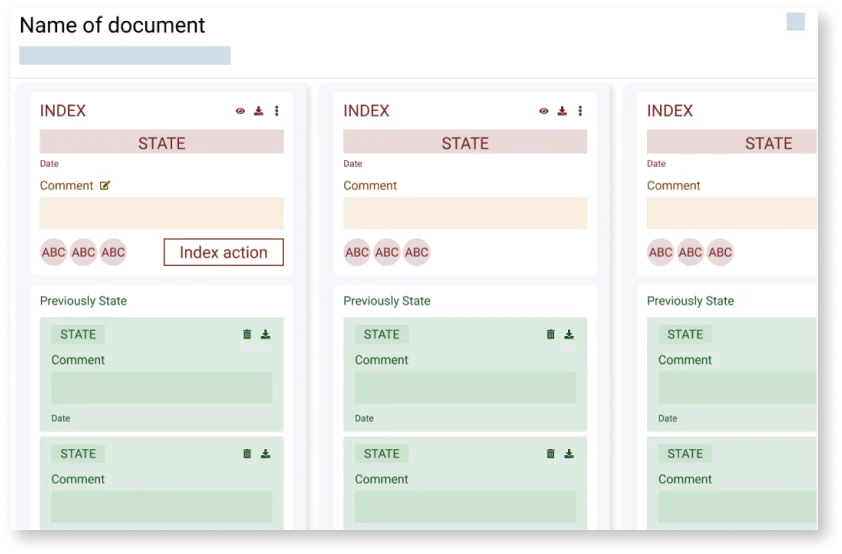
v2 – Card redesign
An interactive card system for adjusting permissions, contributors and history directly and visually.

07 / A/B USER TESTING
We tested the classic list (Version A) against our card concept (Version B) on a complete editing and approval scenario.
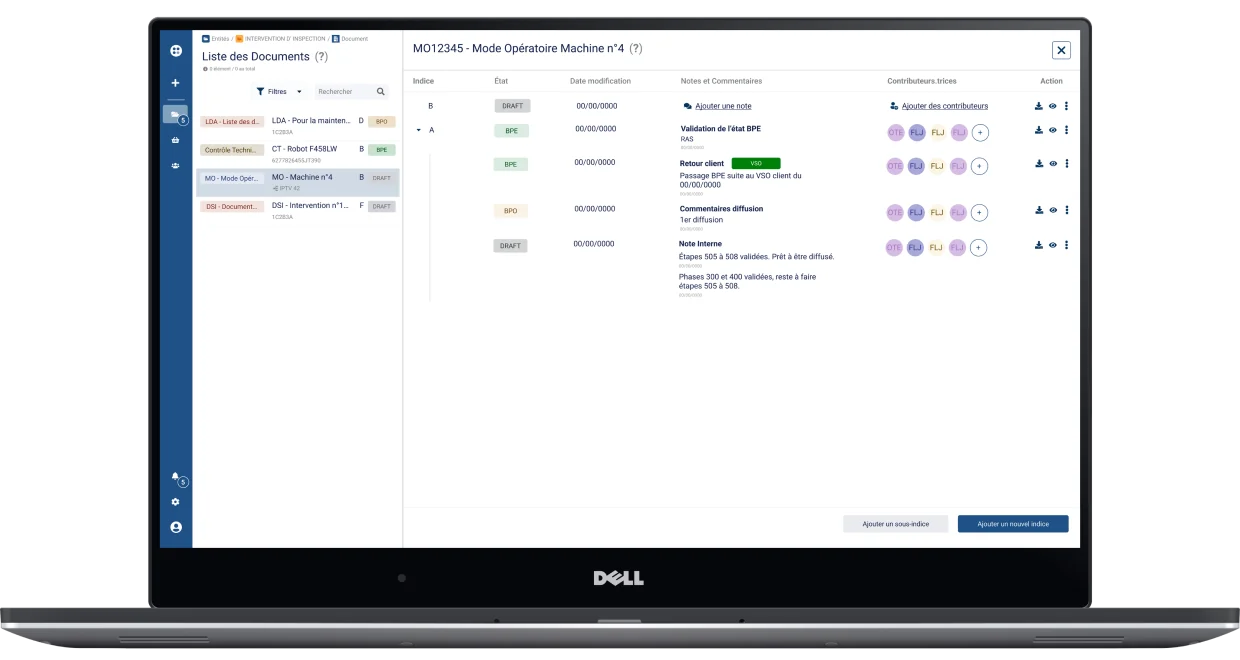
Version A — List design
The traditional approach based on the legacy interface: familiar, but not very intuitive.
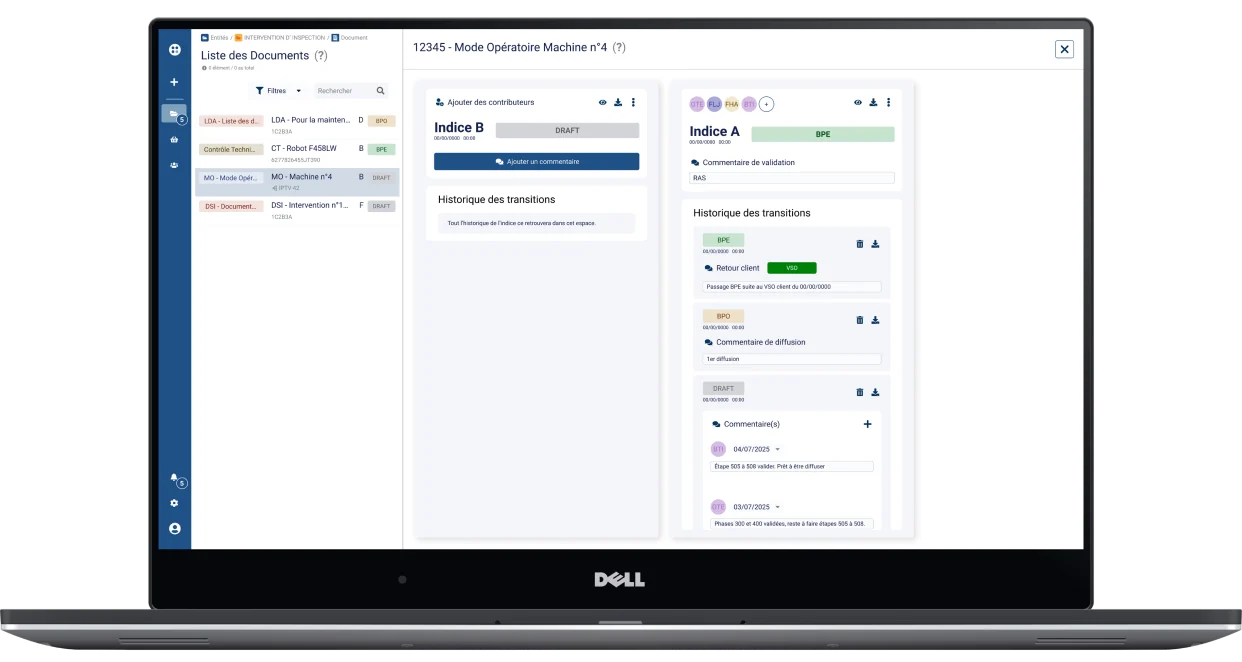
Version B — Card design
My new concept, grouping metadata and collaborative actions into distinct semantic blocks.
80 vs 92
Usability Score (SUS)
A clear edge for the card design
4.0 vs 4.3
Opinion Score (/5)
Testers’ overall rating
38% vs 62%
Final Choice
Overwhelming preference for the card version
08 / GUIDELINES & DESIGN SYSTEM
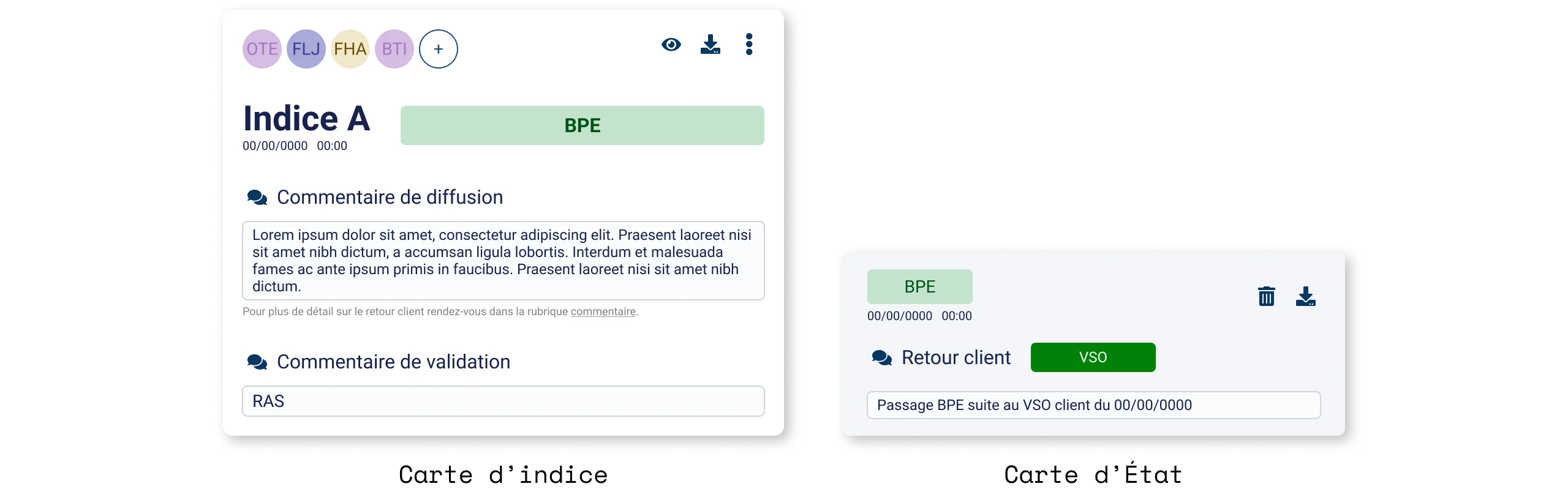
The new components (cards) were built from the design system’s existing atoms, rearranged into new structures. The base elements are reused, ensuring visual consistency. The goal is to keep a modular approach: every card can be stacked and combined freely.
09 / RESULTS & IMPACT
“The card version flows better. There’s little room for error because the buttons you need appear as you go. No more searching for them.”
10 / LESSONS & REFLECTIONS
Rather than simply iterating on the existing list, creating a card concept unlocked new ways of collaborating.
Card sorting kept us from hiding essential actions again by structuring the fastest possible access from the start.
Working closely and early with field engineers let us quickly validate the feasibility of complex revision cancellation.
11 / NEXT STEPS
